How to Sort Photos by Metadata on Mac?

When working with a large collection of images, filenames aren't always the most useful way to organize your files.
Photos can contain metadata such as capture date, camera model, lens information, GPS location, ratings, and other EXIF, IPTC, or XMP fields.
MetaImage lets you use this information to sort your photos by a specific metadata tag.
Step 1: Import Your Photos into MetaImage
Open MetaImage and import the images you want to sort.
You can use the buttons in the main window to select your files.
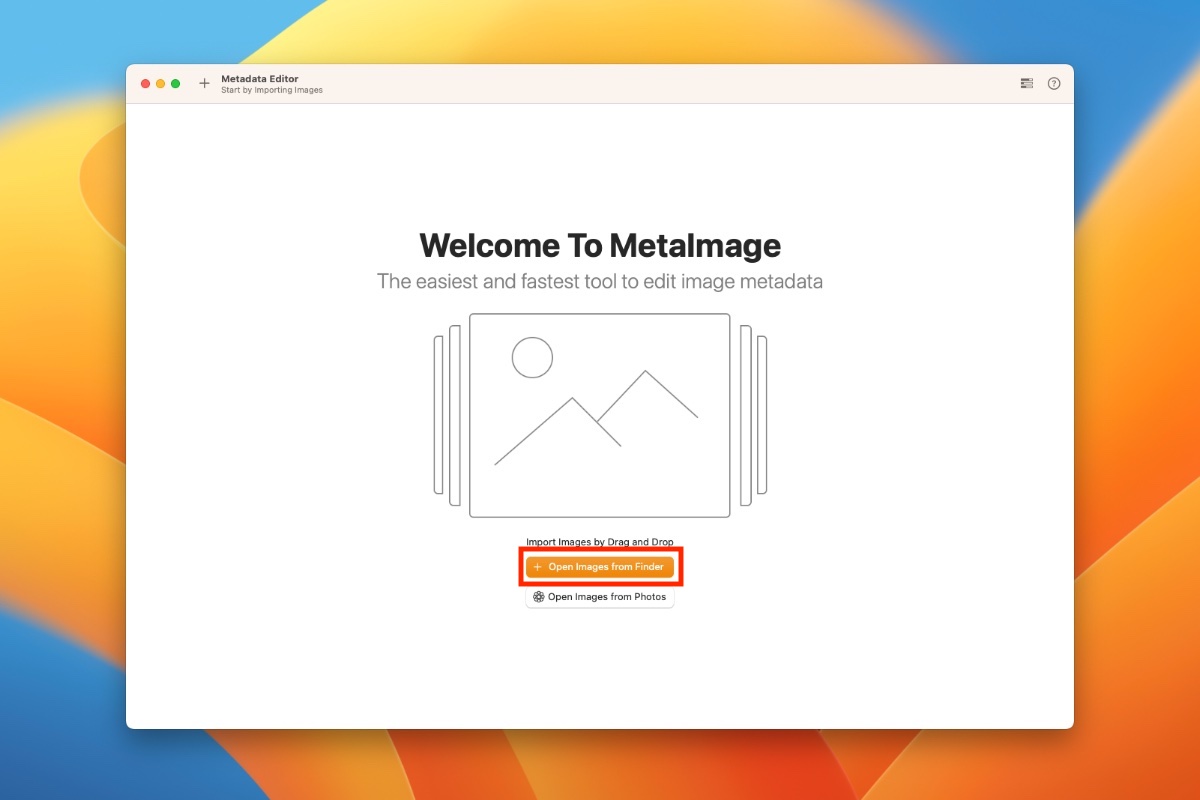
Once imported, your photos will appear in the main interface.
Step 2: Open the Sort Options
Click the Sort button at the bottom of the window.
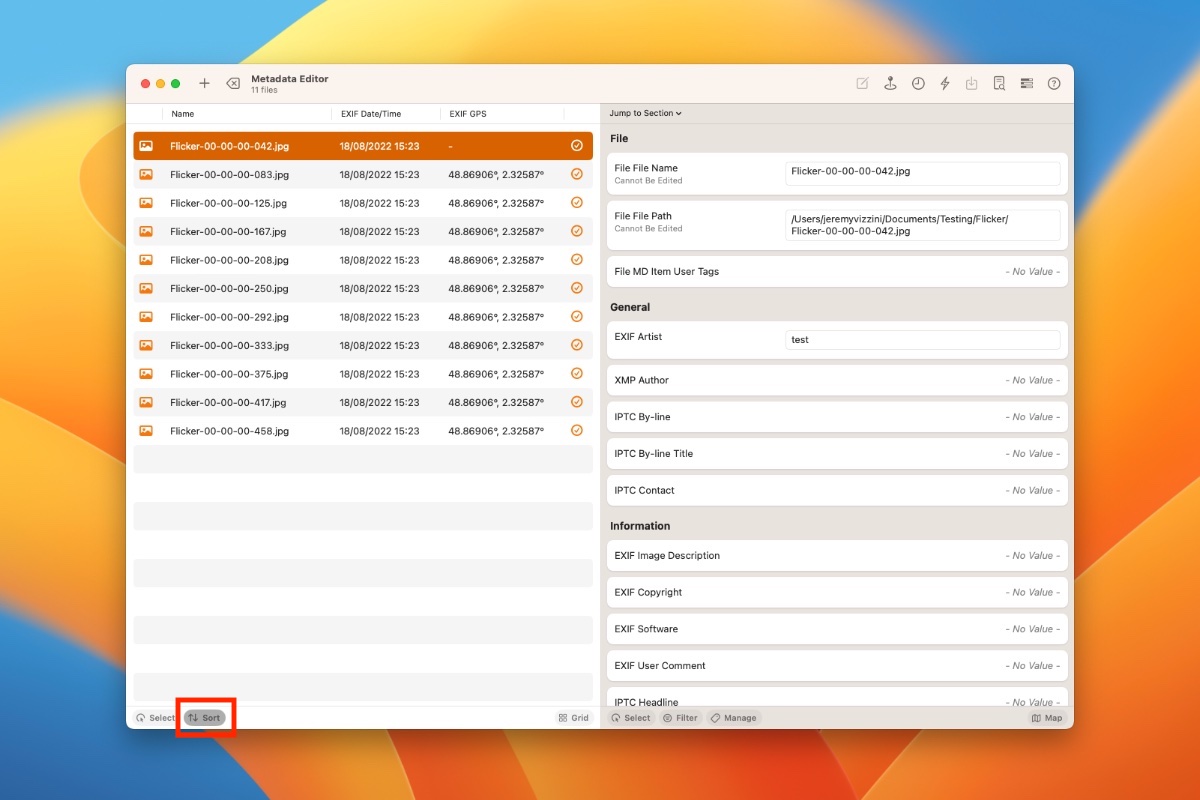
MetaImage will display a panel where you can select the metadata field you want to use for sorting.
Step 3: Choose a Metadata Tag
Search for the metadata tag you want to use.
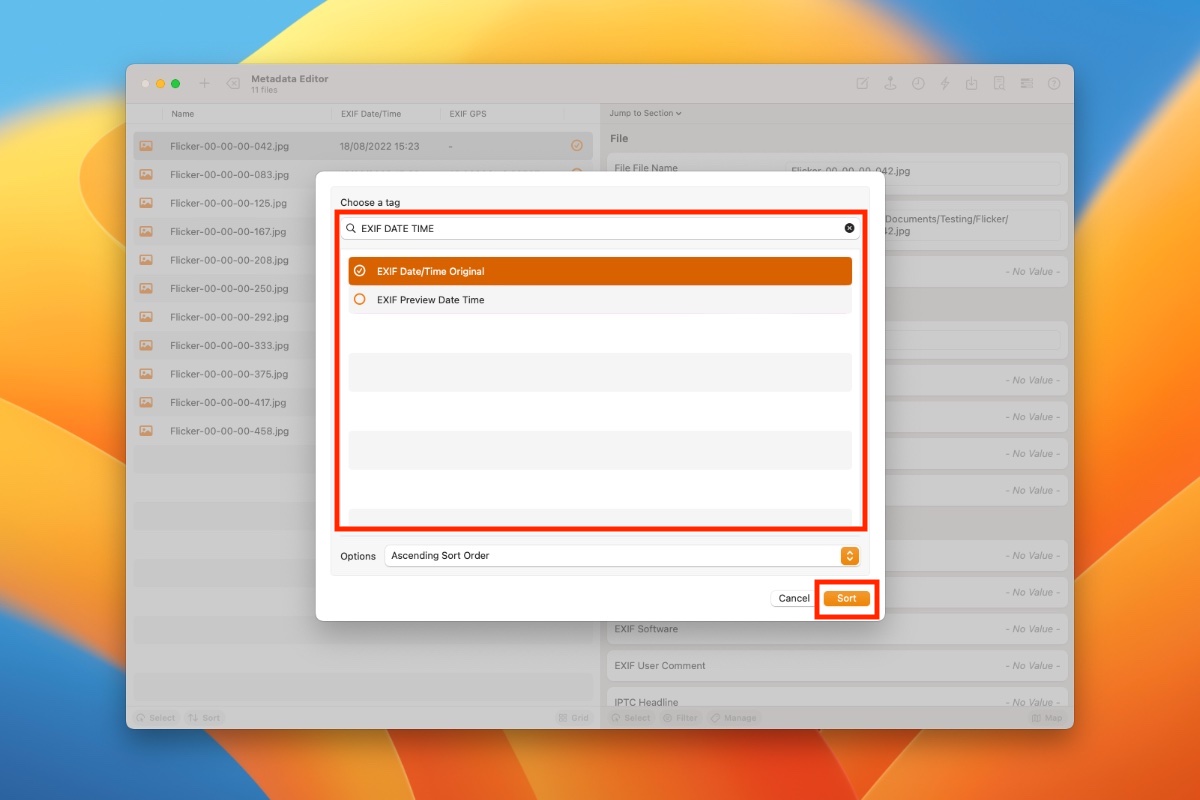
Select the desired tag and confirm your choice. MetaImage will then reorder the imported images according to the values stored in that metadata field.
What Metadata Can You Use to Sort Photos?
Depending on the metadata available in your files, you can sort images using many different fields.
For example, you might want to sort photos by:
- Date and time taken
- Camera model
- Lens
- ISO
- Aperture
- Focal length
- GPS information
- Photographer or creator
- Keywords
- Other EXIF, IPTC, or XMP tags
This can be particularly useful when filenames don't reflect the actual order or characteristics of your photos.
Sort Photos by Date Taken
One particularly useful workflow is sorting images according to their original capture date.
The date stored in a photo's metadata can be different from the file creation or modification date displayed by Finder.
For example, copying old photos to another drive may affect file-system dates while the original capture information remains stored in the image metadata.
Sorting by the appropriate metadata date lets you organize the images according to when they were actually captured rather than when the files were copied or modified.
Organize Photo Metadata with MetaImage
MetaImage lets you inspect, edit, compare, and organize images using EXIF, IPTC, XMP, and other metadata.
Sorting by metadata is particularly useful when working with large collections of photographs from different dates, cameras, lenses, or locations.
Stay in touch
We are working on awesome new projects, subscribe to be notified.